Advertisement


LymeeFairy
-
Posts
78 -
Joined
-
Last visited
-
Days Won
6
Content Type
Profiles
Forums
Downloads
Everything posted by LymeeFairy
-
It’ll be tough for you to find an answer to this since it’s quite a niche topic, and the area mainly focuses on general IPS content. When it comes to theme codes, it's rare to find someone who knows. Usually, these settings are specific to the theme, meaning they’re within the theme’s CSS/HTML. These themes should have some guidelines for making tweaks.
-

IPS 4.7 Move IPS 4.7.18 from windows c: drive to D drive
LymeeFairy replied to circuits's question in IC4 Support
To shift your Invision Community files to your drive on Windows (if that's what you meant) while running under IIS 7, follow these steps: 1. Stop IIS Open IIS Manager and stop the website associated with your Invision Community. This will prevent any file conflicts while you’re moving things about. 2. Copy the Files to the New Location Navigate to the current folder on your boot drive where your community files are stored. Copy the entire directory (avoid cutting in case you need to revert). Paste the copied folder to your preferred location on the drive. 3. Update IIS Settings In IIS Manager, locate and select your site for Invision Community. On the right, under Actions, click Basic Settings. Change the Physical Path to the new directory on your drive. 4. Update PHP Configuration (if applicable) If PHP is set to use specific paths on the boot drive (like open_basedir or include_path), open your php.ini file and update these paths to match the new directory on D. 5. Check Invision Community Configurations Open your Invision Community’s main configuration file (often conf_global.php) and check if hard-coded paths are pointing to the old drive. Update these as necessary. 6. Restart IIS Once everything’s updated, restart IIS to ensure the changes are applied. 7. Test Your Site Visit your website to ensure it’s loading correctly from the new drive location. If everything works as expected, you can delete the old files from your boot drive to free up space. @circuits No clue why the sad faces, but I meant D : driver with the colon (:). I know it’s been a while since you created the post, but you've got the answer if it’s still a question. -
Miss us? We've missed you too. WebFlake is back!
LymeeFairy replied to Tony's topic in Announcements and Updates
Great to see this community back on stage! -
What you mean?
-
cannot reply to or post new content
LymeeFairy replied to Reescey.'s question in Invision Support Archives
OK, contact me here NFravi#3391 -
cannot reply to or post new content
LymeeFairy replied to Reescey.'s question in Invision Support Archives
May you be more specific? I didn't get you, but if you want to set up a widget that's when we get started, I may help you. -
cannot reply to or post new content
LymeeFairy replied to Reescey.'s question in Invision Support Archives
So, did you solve your problem? -
cannot reply to or post new content
LymeeFairy replied to Reescey.'s question in Invision Support Archives
Did you try to change your theme and see if it's happening on all your website? -
cannot reply to or post new content
LymeeFairy replied to Reescey.'s question in Invision Support Archives
Did you try to install another CKEditor? If so, there is the problem, and you can try to uninstall it, so you can try again. -
There should be an option in AdminCP Login & Registration to ask the user to provide a password, as appears asking the user to provide a username as they log with some auth, they don't need to specify a password, actually.
-
Can you be more specific?
-
Do not give your attention to the comment up above. I just get this problem when I tried to install my new platform for the first time, and this is probably your solution. Going into this, if you have an actual file on your server named "files" try to rename to something else. This is probably what is happening to you and your server.
-
IPS 4.6 Discord - Widget that shows members online / channels
LymeeFairy replied to lanc3lot's question in IC4 Support
Well, I see. As I was going by through every road in this, I can tell you this is probably another application, but isn't compatible with 4.6 exactly. You may see different banners on your widget, but there's nothing as shown on platforms that are using versions under 4.5. -

Version 1.1.1.2
94 downloads
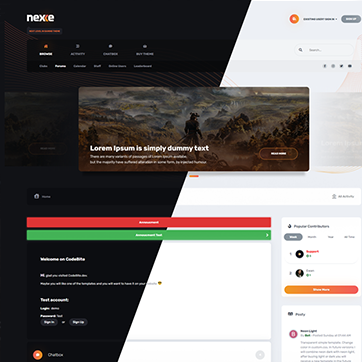
Nexxe Theme (IPS version 4.6x) Template with a choice of (light/dark) colour versions. Colours and sizes using CSS Vars. Choosing the font colour, the theme has many settings and can be fully customized. It's perfect for all forums, beautifully displaying all site content. Possibility to change header, slider, navigation, popus, forms, comments and much more. Permanent support – Write me a private message, and you will receive the rank of customer on the codebite.dev/ips. You can buy a plug-in to remove copyright from the footer. (Private message) View demo here. Login: demo Password: demo Video Demonstration -
I'm going to try to get this for you, but this might be the 1.0.2 version. I already had this file, but it's lost and out of date.
-
You need to ask the administrator of this site you mentioned in this post and get the code with him. The postContainer code and the CSS custom code.
-
Do you mean you want to know how to add the codes on it? If you have both of this, I may help you with clear explanation.
-
IPS 4.5 Check if advert is submitted by specific group id
LymeeFairy replied to theodhora's question in IC4 Support
I didn't get your question. What do you mean by an advert with prefix and tags? Wait, do you meant… Topics? -
This can be modified by going to the CSS in your theme. You may have to edit your postContainer and put a code on custom.css, if you have this dude's hand and help.
-
"It's the most beautiful time of the year, lights fill the street, spreading so much cheer."
-
Woah, where'd this add-on? I guess we ain't to be able to help you with it, but I can tell you that is doesn't work as well. Topic has so many features, but a feature to change its creation it's… Probably faked. Nowadays, we can find several resources from there, but we need to wait a little more to get into this, it's hard, you bet.
-
201 downloads
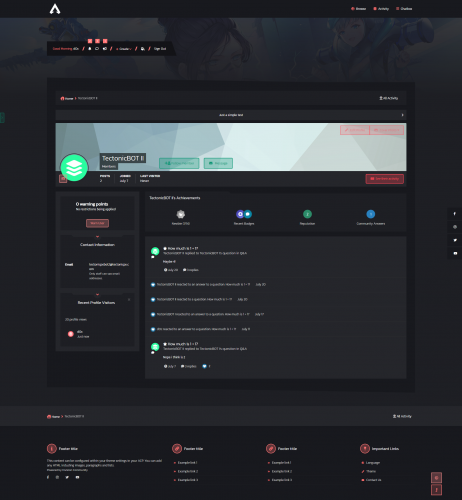
Cyber Apex is a template based mainly on gaming but with many options to change the look. It has the dark and light version but also with a lot of options to change the colours, wallpapers, etc. Theme Features [ACP]: Count Down fully customizable. Background Picker. Index Settings. Mega Footer fully customizable Customizable Post Container. Sidebar Slider fully customizable. Social Links customizable. Special Forums. Index Welcome Message Text customizable. Customizer: Colour Picker. Background Picker. Dark & Light mode Switch. Fluid width Switch. Show/Hide Sidebar. Chose sublist columns. Show/Hide Back To Top Button. New: Redesigned header menu. (Now works with menu manager) Clean CSS code. (With vars) Redesigned Header. Redesigned Post Container. Warnings: This new version is available just from 4.6. No Renewal any more, you are free to use this theme for life. Plugins Used: General Statistics. Chatbox Free. -
Hi, I just replied your question about this, and if you have any more doubts, just ask for it.
-
I don't really know if it is possible, but you can use the option to allow users to purchase more than one or configuring association. I know the store hasn't added something like you're searching for, but there are another solutions that you can be grasping.
-
For first, you have to go into your AdminCP and then Commerce. When you get there, you have to make a configuration about what you're selling, the price and others. But mind yourself, the second thing you have to do is going to the Menu Manager, in System, and add Store on your website menu.

.png.edc0fdbbd4df1db4edeaa18d57faf83a.png)