Advertisement


AntiMetaman
-
Posts
64 -
Joined
-
Last visited
-
Days Won
3
Content Type
Profiles
Forums
Downloads
Bugs
Roadmap
Suggestions
WebFlake Changelog
FAQ
Store
Blogs
Applications
Ideas
Everything posted by AntiMetaman
-

How to edit font color of "Submit Reply" button in IPS 4.1.16.1?
AntiMetaman replied to AntiMetaman's question in Invision Support Archives
Thanks again! Is there any way to change the color of the background of the gray box? It seems all my fonts are white color, so I just need to change the background from gray to black or something dark. -
How to edit font color of "Submit Reply" button in IPS 4.1.16.1?
AntiMetaman replied to AntiMetaman's question in Invision Support Archives
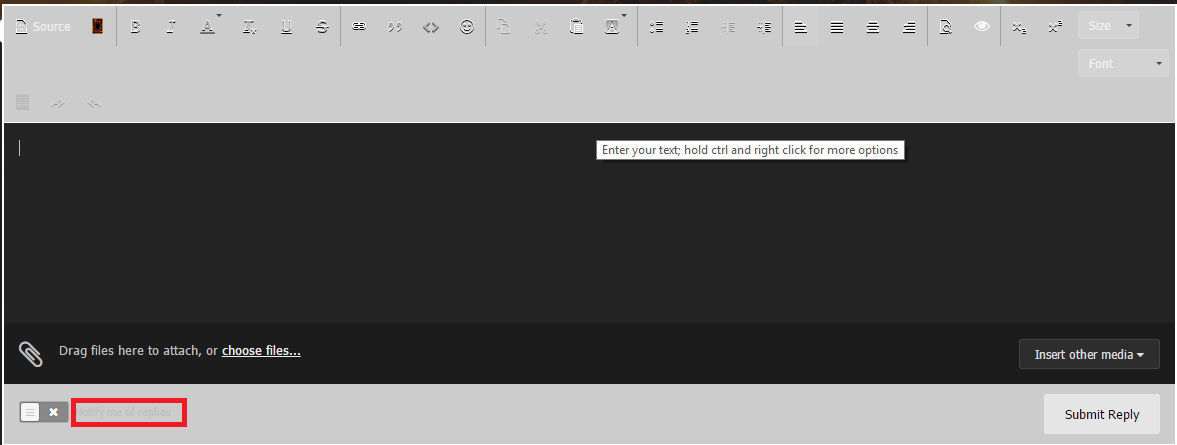
Thank you that fixed it! I also need to change the font color of "Notify me of replies":
-
As the screenshot above shows, I'm trying to change the font color of "Submit Reply". Currently it's white on white which looks very bad. I'm using IPS 4.1.16.1 with Chameleon Dark theme. It's most likely something I need to add to custom.css, but I don't know what. I just want black font color.
-
Use animated background as header in Chameleon 4.1.x?
AntiMetaman replied to AntiMetaman's question in Invision Support Archives
Moving the menu to the left worked. The box shadow still remains unfortunately. Been trying to get rid of that for a while. I'm not even sure if that's the box shadow though. Edit: I figured it out. There was a 10x padding in the animated background code. I changed it to 0px and now it's gone. Thanks for all the help. This thread can be closed now. -
Use animated background as header in Chameleon 4.1.x?
AntiMetaman replied to AntiMetaman's question in Invision Support Archives
I was going to pm it to you but it seems you have that blocked. I was able to make it transparent by just adding this to the custom.css: #header{ background: none !important; } However, I've run into new problems shown here: I want to eliminate the horizontal bar at the very bottom and reduce the space between the text logo and navigation menu. -
Use animated background as header in Chameleon 4.1.x?
AntiMetaman replied to AntiMetaman's question in Invision Support Archives
Thanks. That actually helps a lot. I just put that into custom.css and then added the header code into globalTemplate and it worked. Unfortunately it is in the background so the black header that comes with Chamleleon 4.1 still shows on top of it. I now need to figure out how to make the header background transparent so I can show the animated background behind it. Any idea on how to do that? It seems I can't simply type 'transparent' in the background color for the theme. It will only take a hex code for color. -
Use animated background as header in Chameleon 4.1.x?
AntiMetaman replied to AntiMetaman's question in Invision Support Archives
What version of IPB are you using? If you go the latest nulled version, it should work fine. -
Use animated background as header in Chameleon 4.1.x?
AntiMetaman posted a question in Invision Support Archives
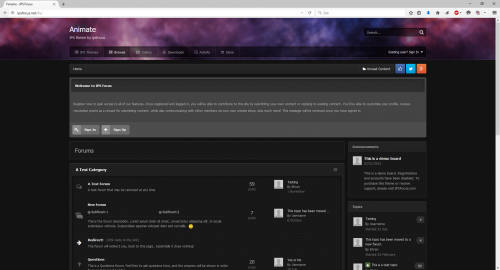
Hello, I'm using the latest version of Chameleon for 4.1.16. My header looks like this: I want to use an animated background like in the Animate theme like this: This question was asked a long time ago here: but the code is outdated now and I was wondering if someone could give an updated one. -
I just want to say that this Animate theme is not compatible with 4.1.15 or higher.