Advertisement


The Grim Reaper
-
Posts
411 -
Joined
-
Last visited
-
Days Won
40

.thumb.png.6dc0873e11537e93215048ade21b08d2.png)










The Grim Reaper's Achievements






-

IPS 4.7 InvisionCommunity WF 4.7.14 - Error EX0
The Grim Reaper replied to LukaKampic's question in IC4 Support
you can try a different version of nulled to see if the problem is from our version or the hosting provider. -
IPS 4.7 InvisionCommunity WF 4.7.14 - Error EX0
The Grim Reaper replied to LukaKampic's question in IC4 Support
I didn't had any problem with it, did you tried retail version to see if the problem is from our end or is due to your hosting provider ? As i saw in your screenshots, you are using a free provider which is not the great environment for a IPS suite -
Function strftime() is deprecated
The Grim Reaper replied to Vlaflip-1's question in Invision Support Archives
The question(s) in this support topic have been answered and the topic author has resolved their issue. This topic is now closed. If you have other questions, please open a new topic. -
Function strftime() is deprecated
The Grim Reaper replied to Vlaflip-1's question in Invision Support Archives
You got this error because the function is deprecated and is intended to be removed. You can try to add this code into your php.ini to suppress the deprecation warning : error_reporting = E_ALL & ~E_DEPRECATED & ~E_USER_DEPRECATED The other method i have means for you to manual edit inside the code and if you`re not comfortable with editing,will not help you. -
Function strftime() is deprecated
The Grim Reaper replied to Vlaflip-1's question in Invision Support Archives
What php version do you use ? -
Most likely the responsiveness is fucked, you have to re-work it again with the mobile version, it will take a time to adjust or the elements for all screen sizes.
-

Version 1.0.0
4 downloads
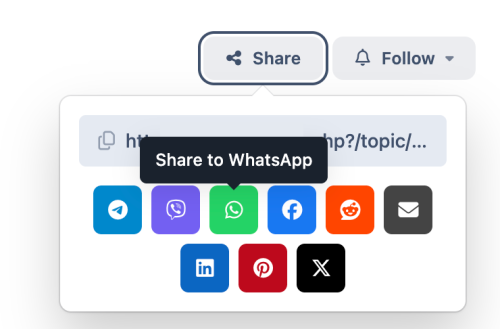
The app adds additional buttons to share services - Telegram, Viber, WhatsApp. -
Version 1.0.1
7 downloads
Steam Login Handler for Invision Community 5 -
Version 2.0.3
20 downloads
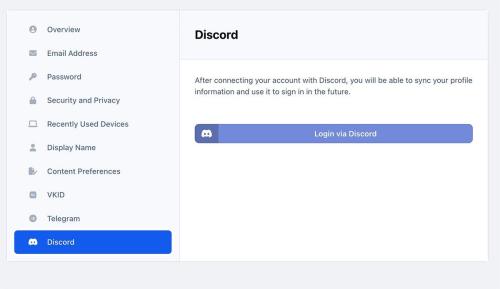
Discord Login - an application that allows your members to register using their own discord account. It can: Login via Discord account; Use Discord.com photo as profile photo of registering member. -
Version 1.0.0
2 downloads
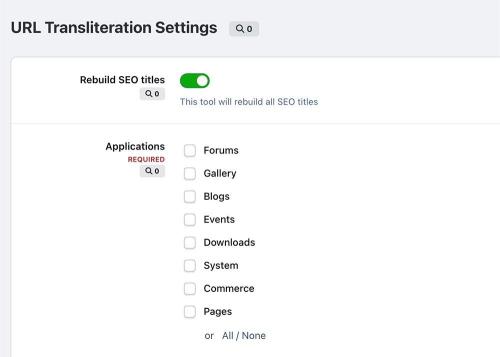
Transliteration - application, which allows you to transliterate non-latin URLs into Latin to improve your community's SEO optimization. You can also add any other symbols. Supported symbols: Latin Greek Turkish Russian Ukrainian Czech Polish Latvian -
Version 1.0.1
12 downloads
StopForumSpam - application to prevent spammers from registering on the forum. When registering a new user, the application checks the email, IP address and/or username, and if this data is in the spam database of the service https://www.stopforumspam.com/ - it bans the account. -
You are no longer able to edit the themes like we used to do in 4.x version. If you want to add something into a template you can make it by using "Theme Designer - Templates" section. To edit the header position "menu, userbar, search bar, logo, etc" and things such as fonts, color, background, you can make it via the "Theme Editor" accesibile from the forum.
-
Version 1.0.0
5 downloads
A simple plugin that would display a mention button for the user who the made the topic / post. -
Version 1.0.1
5 downloads
This would allow you to edit your posts with an HTML editor. -
Version 1.0.0
7 downloads
This app helps users connect and build friendships with others in an easy and engaging way. Friend Requests: Users can send friend requests to connect with others. Notifications: Get notified when: You receive a new friend request. Your friend request has been accepted. Users can manage notification preferences, choosing to enable/disable them or receive alerts via email or inline notifications. Friend Display: A Friends icon on the top navigation bar appears on every page. A Friends tab is available on the profile page. One-click access to send private messages (PM) or chat (requires Chatbox+). Quick friend search for easy access to connections. Privacy Settings: Users have control over their privacy, with options to set: Who can view their profile. Who can send them private messages. Who can see their friends list on their profile. Support the uStatus application with the permission: Who can post on your profile. Suggested Friends Widget: A widget displays random users you may know, available in slider or grid view for easy browsing. Mutual Friends Display: Mutual friends are shown on the profile page and in the suggested friends widget, making it easy to find common connections.